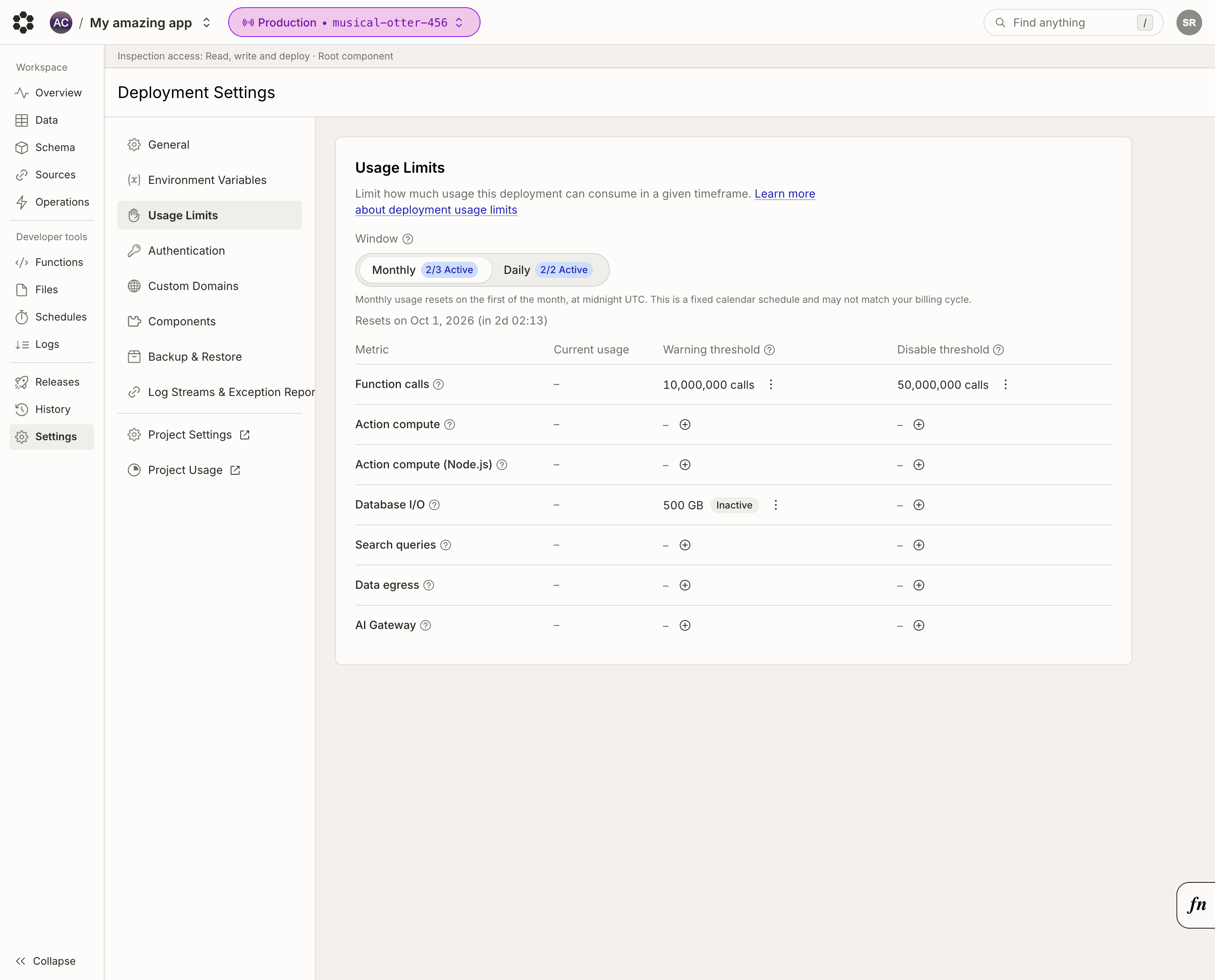
Usage limits allow you to cap how much usage a single deployment can consume per day or calendar month. Usage limits are a guardrail against runaway workloads: a scheduled function stuck in a loop, an action hammering a third-party API, or unexpected traffic spike that would otherwise show up on your bill. Deployment limits are especially useful on development deployments, where an AI coding agent left running unattended can burn through a lot of usage. Usage limits are set per deployment and measured in resources. If you want to cap what your whole team pays in dollars, use spending limits instead. You can configure usage limits from the usage limits page in the console.
Deployment settings usage limits page

Thresholds

Each metric supports a disable threshold. Production and preview deployments also support a warning threshold. Each threshold is enforced over a daily or monthly window:
  • The warning threshold is a soft limit: when it is exceeded, an event is recorded on the deployment’s history page.
  • The disable threshold is a hard limit: when it is exceeded, the deployment is disabled for the rest of the window, and new function calls return an error explaining that the deployment exceeded a usage limit.
When either threshold is reached on a production or preview deployment, Bijection sends a notification email to all members of your team. Development deployments do not receive email notifications. A deployment disabled by a usage limit is re-enabled automatically when the window rolls over, or as soon as you raise, disable, or delete the limit that was triggered.

Windows

Limits cover calendar windows in UTC:
  • Daily limits reset at midnight UTC.
  • Monthly limits reset on the first of the month, at midnight UTC.
For example, a daily disable threshold of 5 GB of database I/O counts all usage since midnight UTC. If the deployment exceeds the threshold at 11pm UTC, it is disabled for the remaining hour, and is re-enabled at midnight UTC.

Available Metrics

The available metrics for usage limits are based on Bijection Pricing The full list of metrics you can configure a usage limit for are:

Audit log

Every change to a deployment’s usage limits is recorded on the deployment’s history page. The history page also shows when a limit was exceeded and when the deployment was disabled or re-enabled.