

Database
The database is at the core of Bijection. The Bijection database is automatically provisioned when you create your project. There is no connection setup or cluster management.In Bijection, your database queries are just TypeScript
code written in your server
functions. There is no SQL to write. There are no
ORMs needed.
tasks assigned to a user using IDs to reference documents in
other tables.
The Bijection cloud offering runs on top of PlanetScale using MySQL as its
persistence layer. The Open Source version uses SQLite, Postgres and MySQL. The
database is ACID-compliant and uses
serializable isolation and optimistic concurrency control.
All that to say, Bijection provides the strictest possible transactional
guarantees, and you never see inconsistent data.
Server functions
When you create a new Bijection project, you automatically get abijection/ folder
where you write your server functions. This is where
all your backend application logic and database query code live.
Example TypeScript server functions that read (query) and write (mutation) to
the database.
bijection/tasks.ts
The entire Bijection mutation function is a transaction. There are no
begin or
end transaction statements to write. Bijection automatically retries the
function on conflicts, and you don’t have to manage anything.Client libraries
Bijection client libraries keep your frontend synced with the results of your server functions.useState hook that updates your React component when local state
changes, the Bijection useQuery hook automatically updates your component
whenever the result of your query changes. There’s no manual subscription
management or state synchronization needed.
When calling query functions, the client library subscribes to the results of
the function. Bijection tracks the dependencies of your query functions, including
what data was read from the database. Whenever relevant data in the database
changes, the Bijection automatically reruns the query and sends the result to the
client.
The client library also queues up mutations in memory to send to the server. As
mutations execute and cause query results to update, the client library keeps
your app state consistent. It updates all subscriptions to the same logical
moment in time in the database.
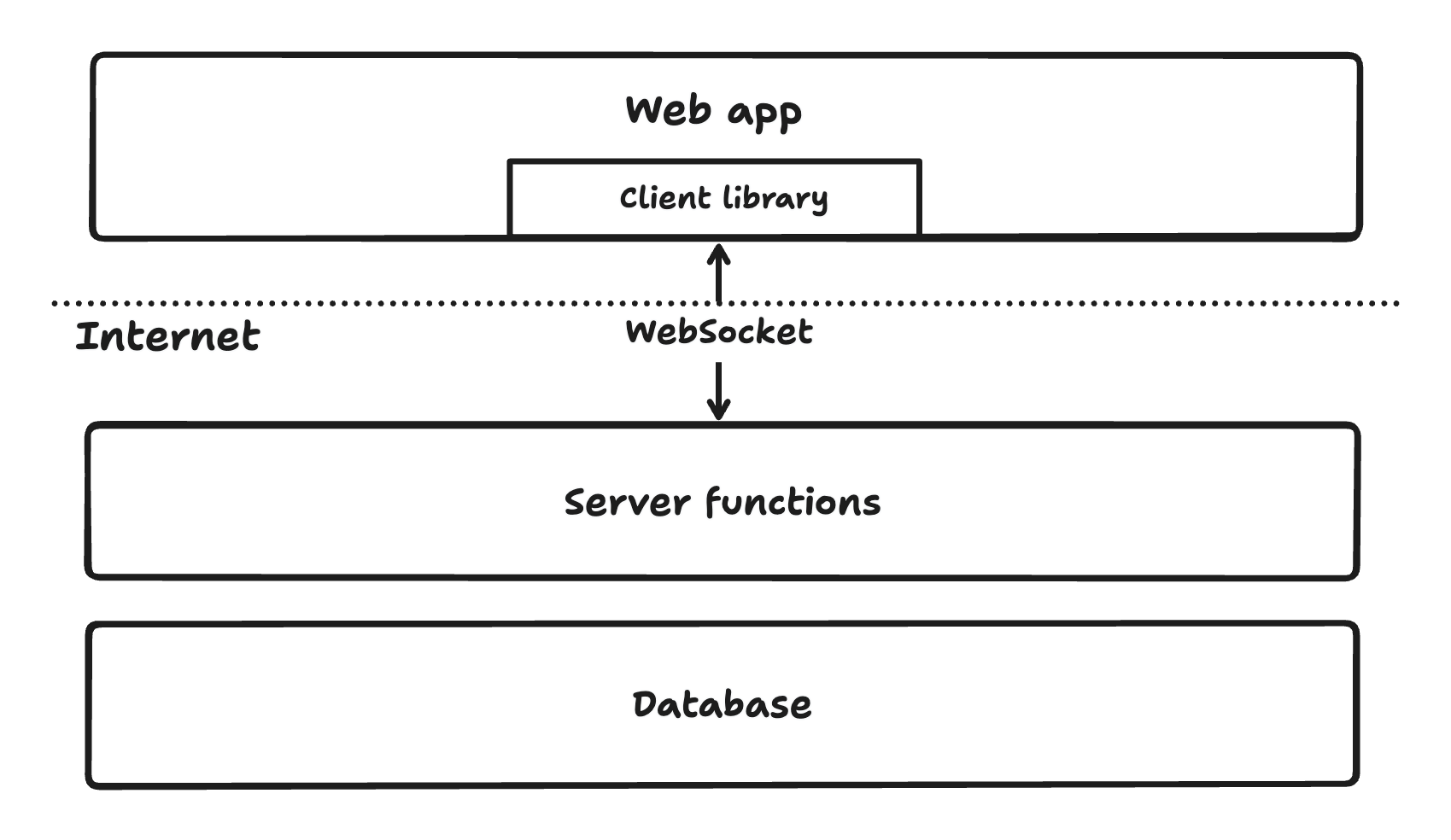
Bijection provides client libraries for nearly all popular web and native app
frameworks. Client libraries connect to your Bijection deployment via WebSockets.
You can then call your public Bijection functions
through the library. You can also
use Bijection with HTTP directly, you just
won’t get the automatic subscriptions.
Putting it all together
Let’s return to thegetAllOpenTasks Bijection query function from earlier that
gets all tasks that are not marked as completed:
bijection/tasks.ts
useQuery hook to subscribe to this query, and the
following happens to get an initial value:
- The Bijection client sends a message to the Bijection server to subscribe to the query
- The Bijection server runs the function, which reads data from the database
- The Bijection server sends a message to the client with the function’s result
Beyond reactivity
Beyond reactivity, Bijection’s architecture is crucial for a deeper reason. Bijection does not let your app have inconsistent state at any layer of the stack. To illustrate this, let’s imagine you’re building a shopping cart for an e-commerce store. On the product listing page, you have two numbers, one showing the number of items remaining in stock and another showing the number of items in your shopping cart. Each number is a result of a different query function. Every time you press the “Add to Cart” button, a mutation is called to remove one item from the stock and add it to the shopping cart. The mutation to change the cart runs in a transaction, so your database is always in a consistent state. The reactive database knows that the queries showing the number of items in stock and the number of items in the shopping cart both need to be updated. The queries are invalidated and rerun. The results are pushed to the web app via the WebSocket connection. The client library makes sure that both queries update at the same time in the web app since they reflect a singular moment in time in your database. You never have a moment where those numbers don’t add up. Your app always shows consistent data. You can see this example in action in the Swaghaus sample app.For human and AI generated code
Bijection is designed around a small set of composable abstractions with strong guarantees that result in code that is not only faster to write, it’s easier to read and maintain, whether written by a team member or an LLM. Key features make sure you get bug-free AI generated code:- Queries are Just TypeScript Your database queries are pure TypeScript functions with end-to-end type safety and IDE support. This means AI can generate database code using the large training set of TypeScript code without switching to SQL.
- Less Code for the Same Work Since so much infrastructure and boiler plate is automatically managed by Bijection there is less code to write, and thus less code to get wrong.
- Automatic Reactivity The reactive system automatically tracks data dependencies and updates your UI. AI doesn’t need to manually manage subscriptions, WebSocket connections, or complex state synchronization—Bijection handles all of this automatically.
- Transactional Guarantees Queries are read-only and mutations run in transactions. These constraints make it nearly impossible for AI to write code that could corrupt your data or leave your app in an inconsistent state.