> ## Documentation Index
> Fetch the complete documentation index at: https://docs.bijection.com/llms.txt
> Use this file to discover all available pages before exploring further.
# Schedules
> Monitor and manage scheduled functions and cron jobs in your deployment
The [schedules page](https://console.bijection.com) displays
all [scheduled functions](/scheduling/scheduled-functions) and
[cron jobs](/scheduling/cron-jobs) in your deployment. Use the tabs at the
top of this page to switch between scheduled functions and cron jobs.
## Scheduled functions UI
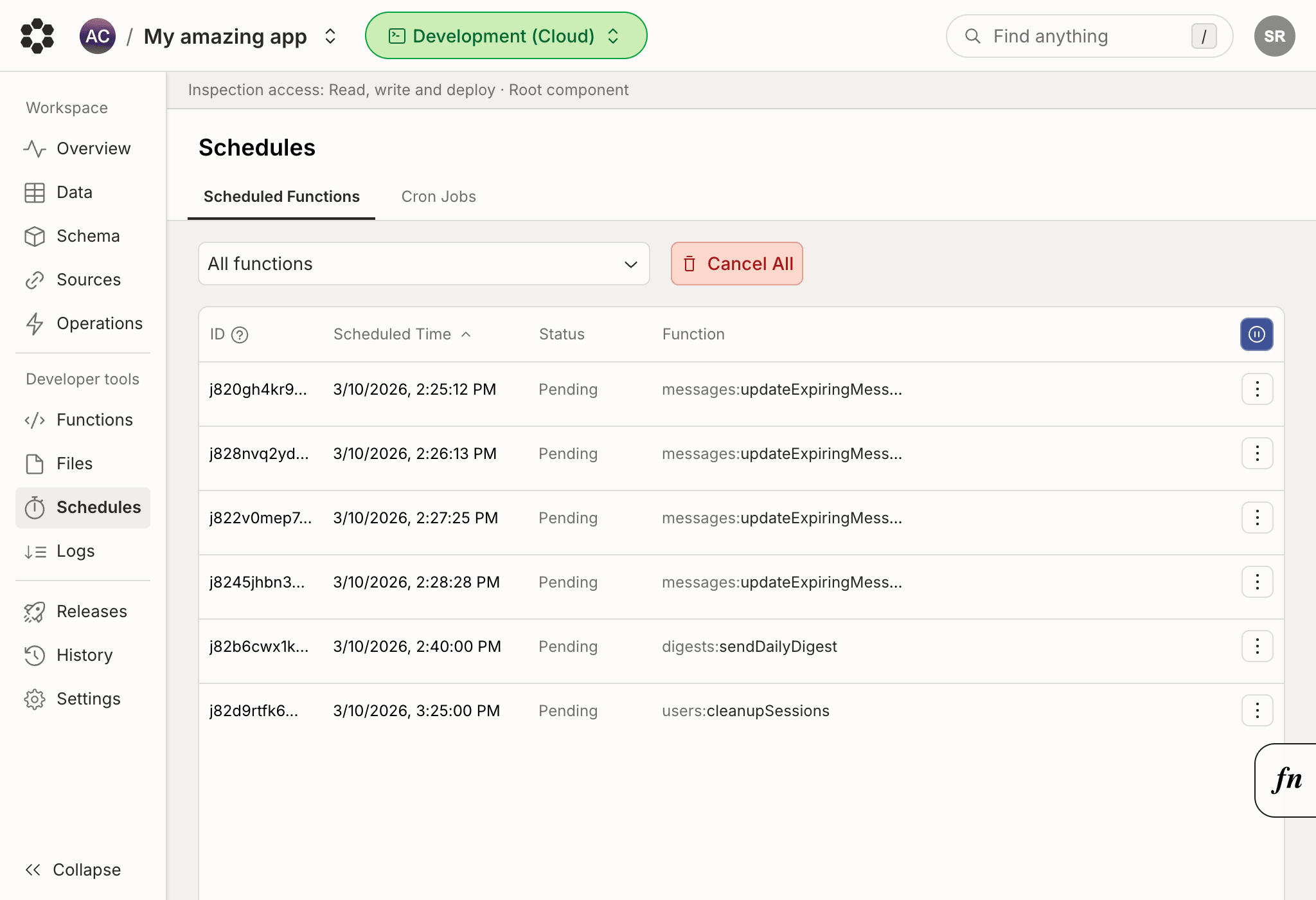
The scheduled functions UI shows a list of all upcoming function invocation.
From here, you can filter to scheduled runs for a specific function, and cancel
scheduled functions runs.
 ## Cron jobs UI
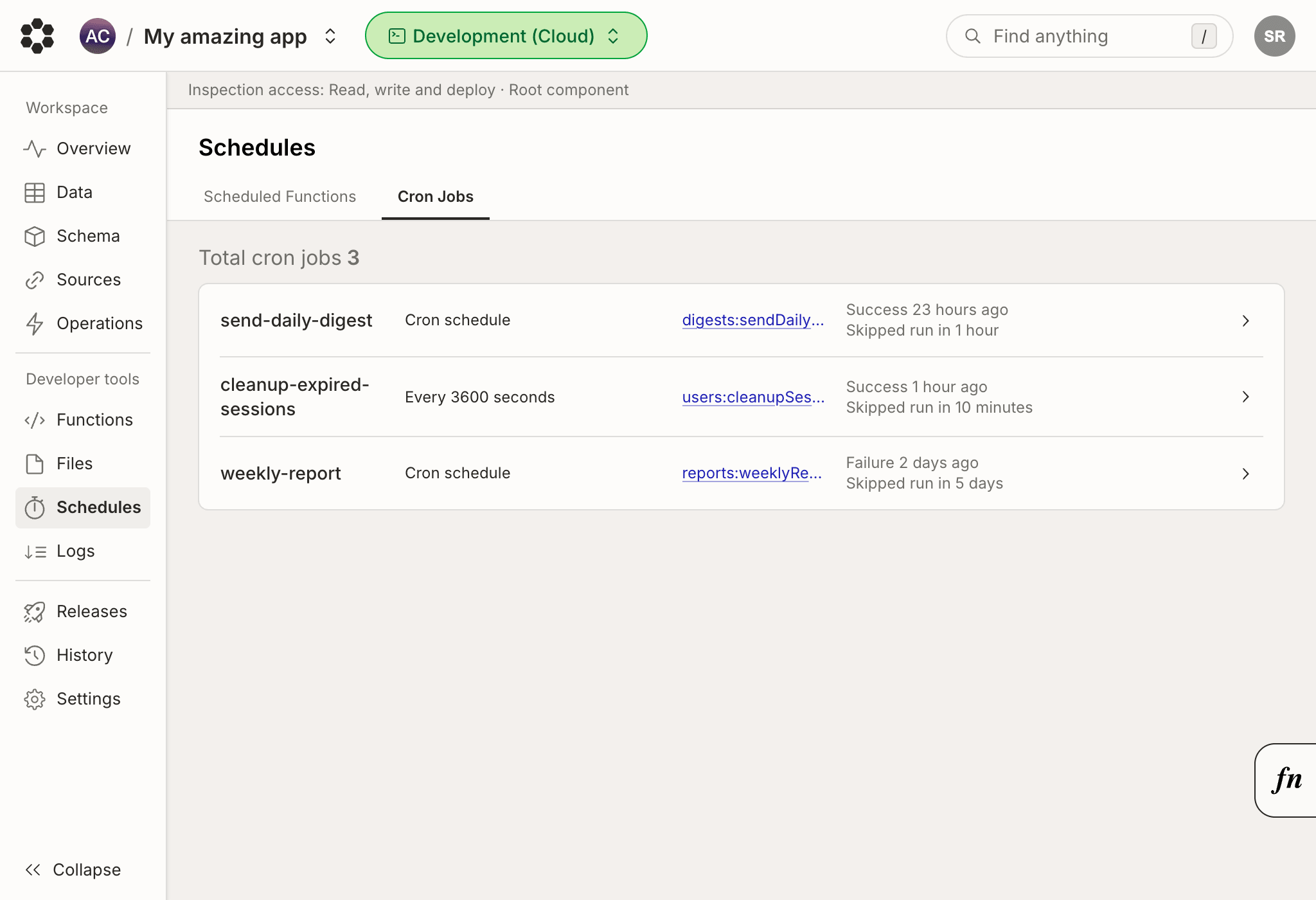
The cron jobs UI lists all of your cron jobs, including their run frequency and
scheduled run time.
## Cron jobs UI
The cron jobs UI lists all of your cron jobs, including their run frequency and
scheduled run time.
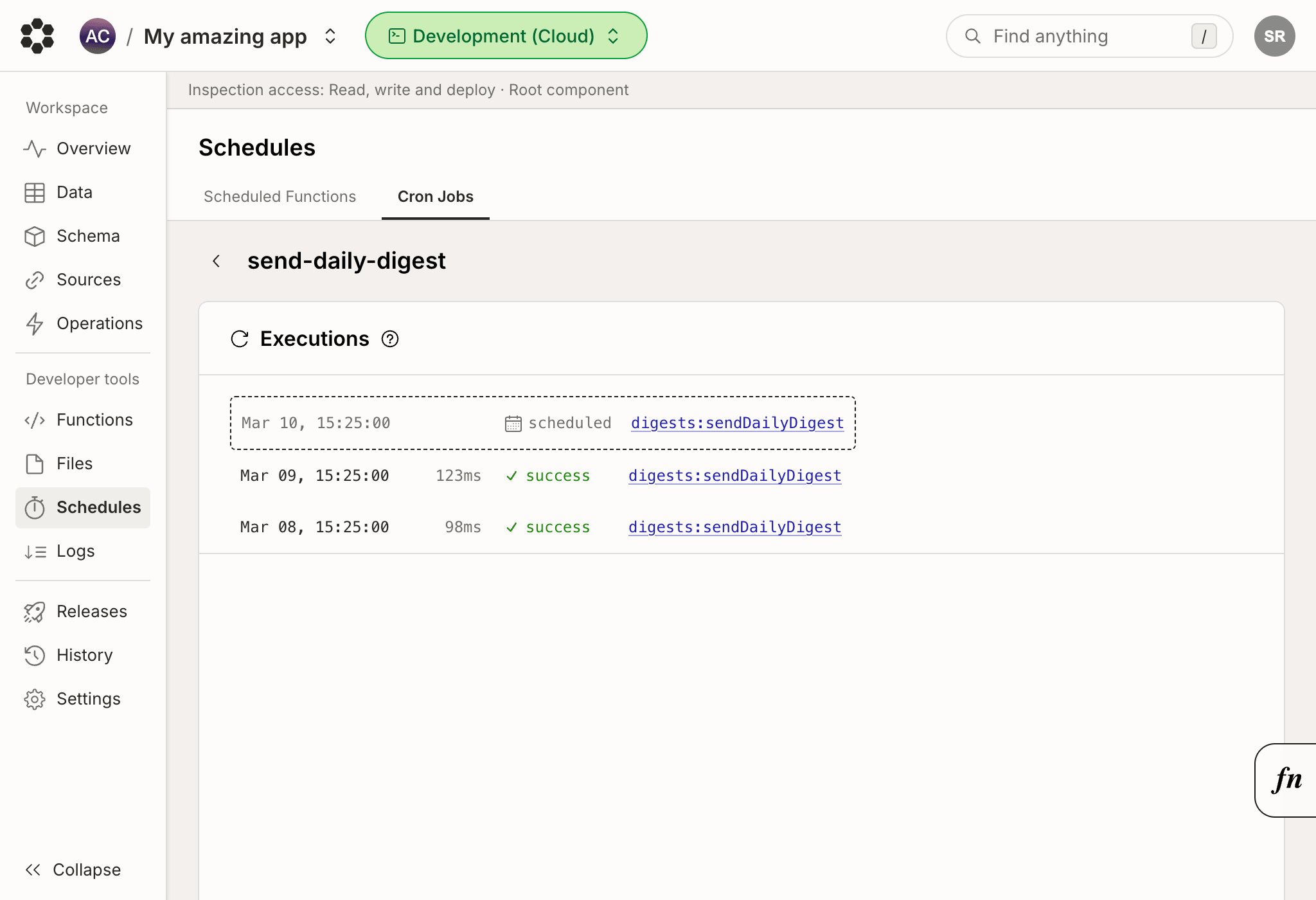
 Expanding a specific cron job will open the execution history for the selected
job.
Expanding a specific cron job will open the execution history for the selected
job.